SSL expiry does not warn gently — browsers show Not Secure, checkouts fail and SEO confidence drops. With Lets Encrypt 90-day cycles you renew four times yearly per site, so one failed cron can darken a client store. This guide lays out monitoring, auto-renew checks and alert routing so expiry becomes a non-event. Your uptime stays quiet, which is exactly how clients like it.
Why SSL Expiry Hits Hard
Browser shows Not Secure, checkout fails, SEO drops. Lets Encrypt 90-day cycle means you renew 4 times yearly per site — easy to miss one cron failure.
Monitoring Options
UptimeRobot, Oh Dear, cert monitoring APIs and manual browser check. Table compares detection delay, auto-renew support and cost. Cron plus monitor is safest.
| Tool | Detection Delay | Auto-Renew Check | Price |
|---|---|---|---|
| Certbot cron | 0h | Yes | Free |
| UptimeRobot | 5 min | No | Free |
| Oh Dear | 1 min | Yes | $30/m |
Auto-Renew Setup
Certbot cron on VPS, Cloudflare edge auto-renew, Vercel managed certs. Verify renewal with staging test and alert if under 14 days.
Alert Stack
30 days warning, 7 days escalation, 1 day page. Alerts route to shared Slack channel, not just personal email who might be on vacation.
Link to Ops
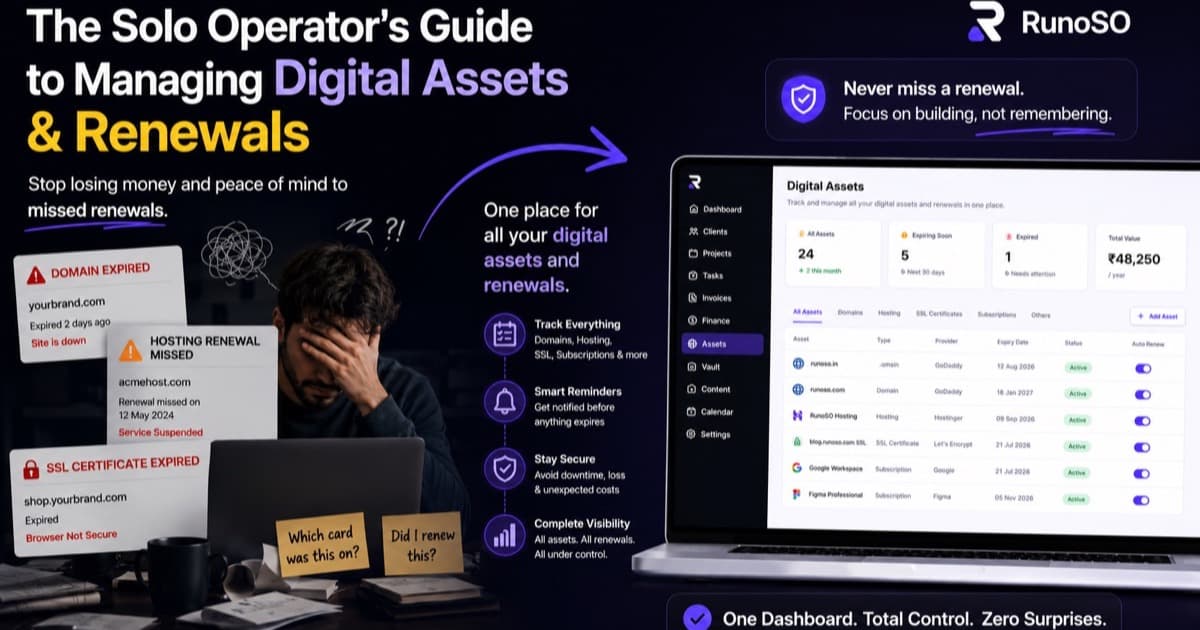
Track SSL status alongside domain in digital assets so expiry dashboard shows domains and certs together.
Keep Reading
- How to organize your freelance business
- Client management for freelancers
- How freelancers should track income and expenses
Frequently Asked Questions
How do I choose the right system for this topic?
Start with one template and one weekly ritual. Measure for 30 days — if it saves 2 hours weekly, keep it; if not, simplify.
Can I do this with free tools?
You can start free with Sheets and Notion, but linking clients to invoices and vault soon needs a connected OS like RunoSO to avoid duplicate work.
How does RunoSO help here?
RunoSO links clients, projects, invoices, vault and digital assets in one place with GST-ready invoicing and AES-256 vault — see https://www.runoso.in/features.