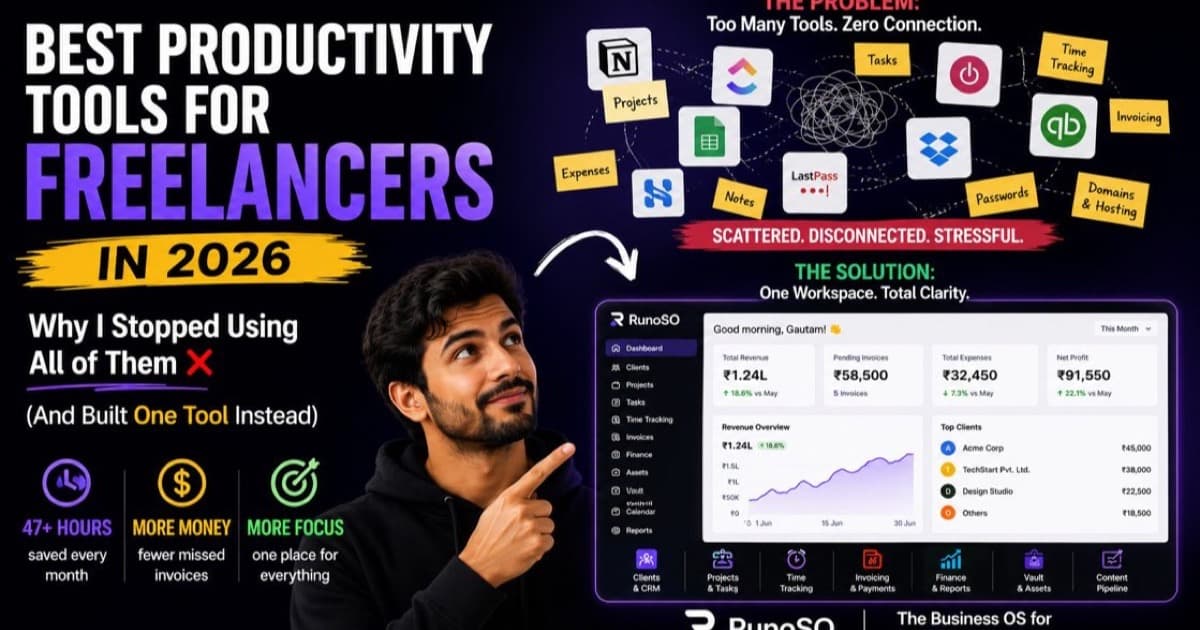
Every "best tools for freelancers" article follows the same formula: list 15 apps, write two paragraphs about each, sprinkle in affiliate links, and call it a day.
I know — because I read all of them when I started freelancing. I signed up for the top-rated tool in every category. Project management. Time tracking. Invoicing. Scheduling. Note-taking. Password management.
Six months later, I was spending 47 hours a month on pure administrative overhead — switching between apps, reformatting data, and hunting for information that was always in the other tool.
That's not productivity. That's organized chaos with a monthly subscription fee.
This article is different. I'm going to walk you through the best tools in every category — I've used most of them personally — and then I'm going to show you exactly why I stopped using all of them and built RunoSO instead.
The Freelancer's Real Problem Isn't Productivity — It's Fragmentation
Before we talk tools, let's talk about the actual disease, not the symptoms.
When you start freelancing, you need to handle:
- Client management — who are your clients, what are their details, what do they owe you?
- Project tracking — what's the scope, what's the deadline, what's the status?
- Invoicing — generate professional invoices, track payments, handle taxes.
- Credential storage — server passwords, API keys, hosting details for every client.
- Content creation — blog posts, social media, marketing materials.
- Financial tracking — income, expenses, profitability, investment performance.
- Digital asset management — domains, hosting, SaaS subscriptions, renewals.
Most freelancers solve each of these with a separate tool. The result? Seven tools, seven logins, seven data silos, and zero integration between them.
Studies show that after every context switch, it takes an average of 23 minutes to return to deep focus. If you switch tools 15 times a day — and most freelancers do — that's nearly 6 hours of lost focus every single day.
The tools aren't the problem. The fragmentation is.
The Tools Most Freelancers Use (And Where They Break Down)
Let me give credit where it's due. These are genuinely good tools. I used many of them for years. But each one solves one piece of the puzzle while leaving everything else disconnected.
Project Management: Notion & ClickUp
Notion is the Swiss army knife of productivity. Databases, wikis, project boards, content calendars — it can do almost anything. Free for individuals, $10/month for the Plus plan.
ClickUp is the power user's dream. Gantt charts, dependencies, automations, native time tracking. Free Forever plan; Unlimited at $7/month.
What they do well: Organize tasks, track project progress, and provide visual workflows like Kanban boards and timelines.
Where they break down for freelancers:
Your project management tool knows about your tasks. But does it know that Client X has ₹45,000 in overdue invoices? Does it store their server credentials securely? Can it generate a GST-compliant PDF invoice when the project is done?
No. So you finish a milestone in ClickUp, then jump to FreshBooks to create an invoice, then dig through a spreadsheet to find the client's GSTIN, then paste it all together manually.
In RunoSO, a project is directly linked to its client, their invoices, their vault credentials, and their financial transactions. When you mark a project milestone as complete, you're one click away from generating an invoice — with the client's details, tax information, and line items auto-populated. No copying. No pasting. No switching tabs.
Time Tracking: Toggl Track & Clockify
Toggl Track is the gold standard. One-click timer, idle detection, clean reporting, 100+ integrations. Free for up to 5 users; Starter at $9/month.
Clockify is the free alternative with unlimited tracking and no user limits.
What they do well: Accurately capture how much time you spend on tasks. Generate reports for billing and productivity analysis.
Where they break down for freelancers:
You track 32 hours on "Project Alpha" in Toggl. Great. Now you need to invoice for those hours. So you export a Toggl report, open FreshBooks, manually create line items that match your time entries, calculate the amount, and generate the invoice.
The time data and the invoice data live in completely different systems. Any mistake in translation — a wrong hourly rate, a missed entry, a mismatched project name — means you're either undercharging (losing money) or overcharging (losing trust).
In RunoSO, every task links to a project and a client. Your task completion data flows naturally into invoicing. When you create an invoice for a client, you can see every project, every deliverable, and every timeline — all in the same view. No exports. No manual reconciliation. The data is already connected because it was never separated in the first place.
Invoicing: FreshBooks & Zoho Invoice
FreshBooks is polished, professional, and built for service businesses. Automated reminders, expense tracking, accountant access. Starts at ~$6–20/month.
Zoho Invoice offers more customization and better support for Indian tax formats, but the free tier limits you to 5 clients.
What they do well: Generate professional invoices, track payment status, and send automated reminders.
Where they break down for freelancers:
If you're an Indian freelancer dealing with GSTIN, PAN, SAC codes, and CGST/SGST splits, most international tools don't natively support these formats. I've written an entire guide on this invoicing nightmare — it's a real problem.
But even beyond India-specific tax issues, the core problem remains: your invoicing tool is an island. It doesn't know about your project timelines. It doesn't connect to your client CRM. It doesn't feed into a financial dashboard that shows your revenue trends, expense ratios, and outstanding receivables.
In RunoSO, invoicing is baked into the business graph. Client → Project → Invoice → Transaction → Financial Dashboard. Your invoice auto-populates your business details (GSTIN, PAN, address), auto-fills client details, auto-calculates taxes (CGST+SGST or IGST based on state matching), generates sequential invoice numbers, and exports to a branded PDF — in 90 seconds. And every paid invoice automatically reflects in your financial metrics dashboard.
Scheduling: Calendly & Cal.com
Calendly is the industry standard for automated meeting scheduling. Calendar sync, reminders, Zoom integration. Free for 1 event type; Standard at $10/month.
Cal.com is the open-source alternative with comparable features.
What they do well: Eliminate the "Does Tuesday work? No? How about Thursday?" email ping-pong.
Where they break down for freelancers:
Scheduling tools are genuinely great at their one job. The problem is, they exist in isolation. After a client books a discovery call through Calendly, you still need to manually create a client record in your CRM, set up a project in your PM tool, and eventually create an invoice in your invoicing app.
In RunoSO, clients are the center of everything. Once a client exists in the system, they're already connected to their projects, invoices, vault credentials, digital assets, and financial history. The first time you add a client, you're setting up the entire relationship — not just a calendar event.
AI Assistants: ChatGPT & Claude
ChatGPT excels at brainstorming, first drafts, and code generation. Claude is better for refining tone, long-form editing, and nuanced content work.
How I use them daily as a freelancer:
- Draft client proposals in 3 minutes instead of 30.
- Debug code faster than searching Stack Overflow.
- Generate blog outlines, then rewrite in my own voice.
- Compose professional email responses to difficult client situations.
AI tools are productivity multipliers, but they're additive — they make individual tasks faster. They don't solve the structural problem of fragmented business operations. You still need a system to manage the output of all that AI-assisted work.
Design: Canva
Canva remains the essential visual design tool for freelancers who aren't designers. Social media graphics, client presentations, brand kits, and even short videos — all from a drag-and-drop interface.
In 2026, Canva's AI features generate complete design sets from a single prompt. What used to take hours now takes minutes.
The Missing Category: Credential Security & Digital Asset Tracking
Here's the category that no "best tools for freelancers" article ever covers — and it's the one that causes the most damage when it fails.
Where are your client's server passwords right now? In a .txt file? A Slack DM? A Notion page with a "hidden" toggle block that isn't actually encrypted?
What about your domain renewals? I once lost a client's trust at 2 AM because a domain expired and I didn't even know until they texted me in a panic.
There is no standalone tool that combines credential encryption, domain tracking, hosting management, SaaS subscription auditing, and social account tracking — all linked to your clients and projects.
Except RunoSO.
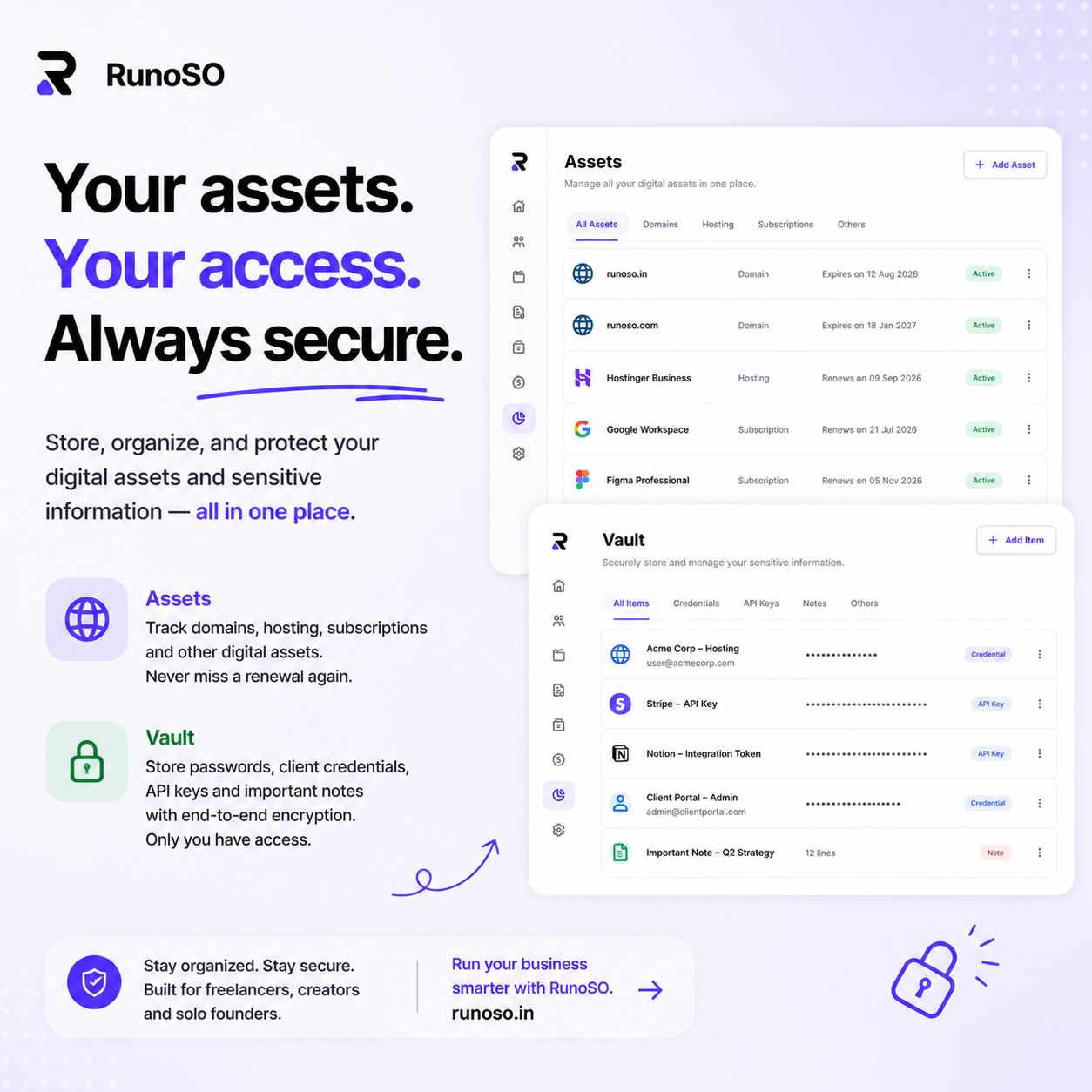
The Vault stores every password, SSH key, API token, and server IP with industry-standard encryption. The Digital Asset Manager tracks domains (with expiry dates), hosting servers, Cloudflare zones, GitHub repos, and SaaS subscriptions. And everything links back to the client it belongs to.
This alone saved me ₹36,000/year in cancelled zombie subscriptions and eliminated 2 AM domain emergencies permanently.
The Cost of "Best in Class" Everything
Let's add up what happens when you follow the standard advice and pick the best tool in each category:
| Category | Tool | Monthly Cost |
|---|---|---|
| Project Management | ClickUp (Unlimited) | $7 |
| Time Tracking | Toggl Track (Starter) | $9 |
| Invoicing | FreshBooks (Plus) | $17 |
| Scheduling | Calendly (Standard) | $10 |
| Password Management | 1Password | $4 |
| Design | Canva Pro | $13 |
| Notes & Content | Notion (Plus) | $10 |
| Total | 7 tools, 7 logins | ~$70/month ($840/year) |
And this doesn't include the hidden cost: the 47 hours/month I was losing to context switching, manual data transfer, and hunting for information across disconnected systems.
At even a modest freelance rate of ₹1,500/hour, that's ₹70,500/month in lost productive time. Per year, that's over ₹8.4 lakhs — not in tool subscriptions, but in time you could have spent doing billable work.
Why I Built RunoSO Instead
After two years of this fragmentation, I sat down and asked one question: "What if everything was connected?"
Not "integrated" through Zapier webhooks and API stitching. Actually connected — sharing the same database, the same client records, the same login.
That's what RunoSO is. A single business operating system where:
- Clients are the center node that links to everything else.
- Projects track scope, deadlines, budgets, and link to GitHub repos.
- Invoices auto-populate from client/project data with Indian tax compliance built in.
- The Vault stores credentials with industry-standard encryption, organized by client and project.
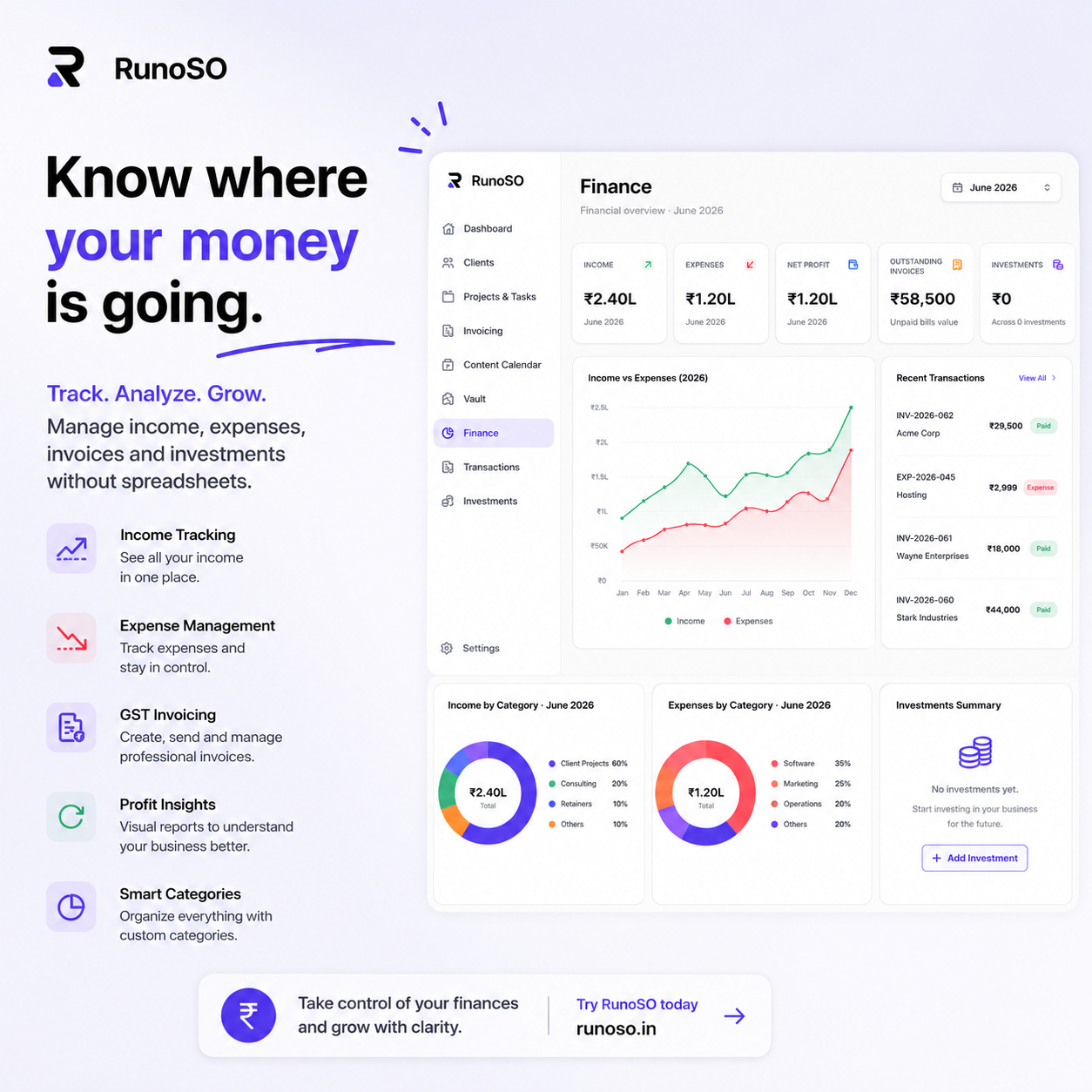
- Finance tracks income, expenses, investment performance, and generates the metrics that actually matter.
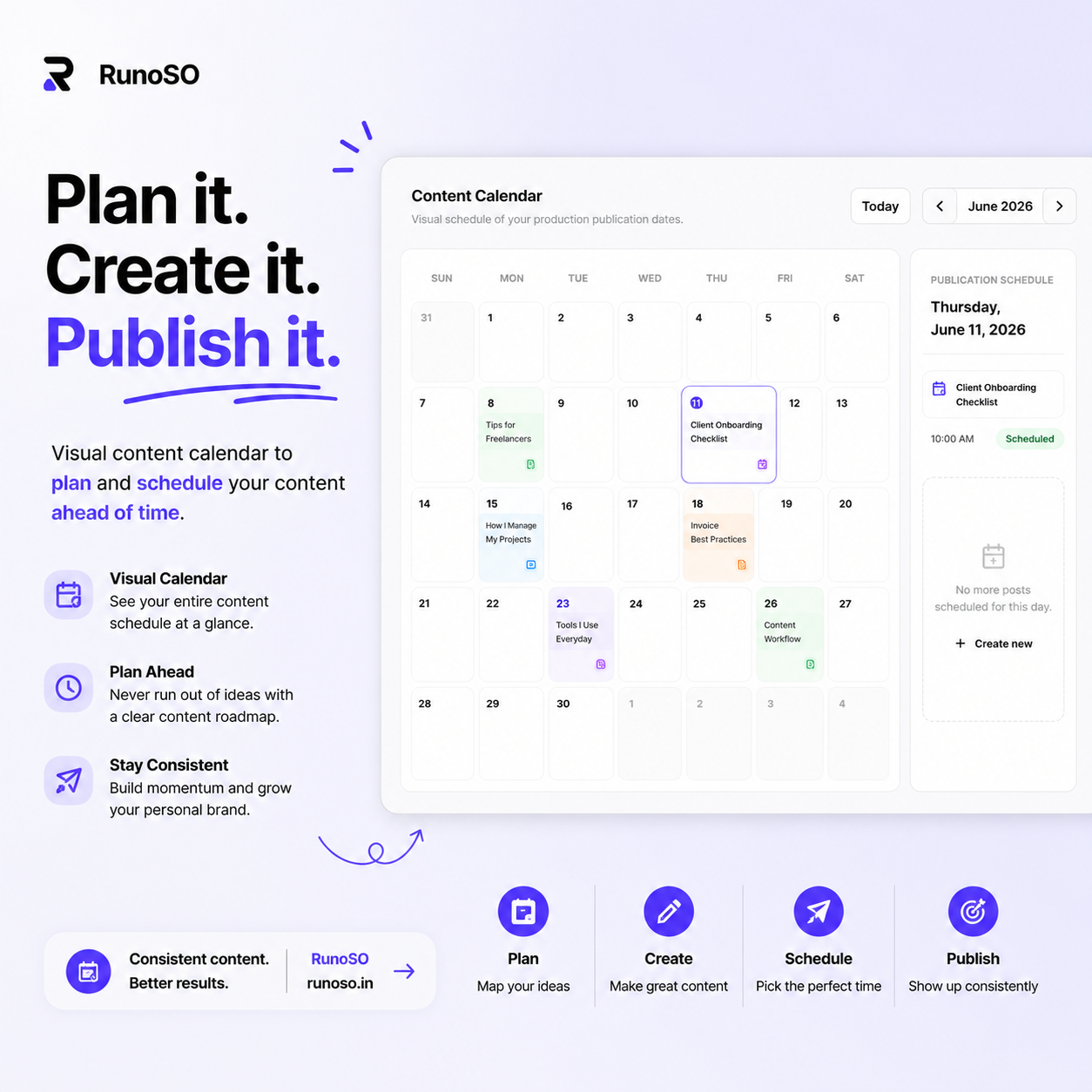
- Content Pipeline moves ideas through Idea → Script → Production → Editing → Published with a Kanban board and content calendar.
- Digital Assets track every domain, server, subscription, and social account you manage.
One tool. One login. One source of truth.
Here's what my admin overhead looks like now:
| Metric | Before (7 tools) | After (RunoSO) |
|---|---|---|
| Monthly admin hours | 47 hrs | ~4 hrs |
| Invoice creation time | 35–40 min | 90 seconds |
| Missed domain renewals/year | 2–3 | 0 |
| Credential security incidents | "Let's not talk about it" | 0 (encrypted) |
| Monthly tool spend | ~$70 (₹5,800) | 1 subscription |
| Context switches per day | 15–20 | 2–3 |
The Decision Framework: Which Approach Is Right for You?
I'm not going to pretend every freelancer needs RunoSO on day one. Here's an honest framework:
You're fine with individual tools if:
- You have 1–3 clients with simple projects.
- Your invoicing is infrequent (a few invoices per month).
- You don't manage client credentials, domains, or hosting.
- You have less than 5 hours/month of admin work.
You need an integrated system like RunoSO if:
- You're managing 4+ clients simultaneously.
- You're generating GST-compliant invoices regularly.
- You store sensitive client credentials (server passwords, API keys).
- You manage digital assets (domains, hosting, subscriptions) for clients.
- You're losing 10+ hours/month to administrative context switching.
- You want a single financial dashboard instead of piecing together data from 4 different tools.
What to Do This Week
1. Measure Your Admin Tax
For one week, track every minute you spend on non-billable admin work: switching tools, creating invoices, searching for credentials, updating spreadsheets. Write down the total. That number is your "admin tax" — and it's eating your revenue.
2. Count Your Tools
List every SaaS tool you pay for. List every tool you use but don't pay for. Count the logins. Count the monthly cost. Now ask: "How many of these actually talk to each other?"
3. Try the Single-Dashboard Approach
Sign up for RunoSO and set up one client — their projects, an invoice, their credentials in the Vault. See what it feels like when everything is connected. The difference is visceral.
RunoSO is a personal business operating system for freelancers — clients, projects, invoicing, encrypted vault, content pipeline, digital assets, and financial tracking, all connected in a single dashboard.
No more tool sprawl. No more context switching. No more 47-hour admin months.
Curious how other solo operators manage their businesses? I share teardowns, lessons, and real numbers from running RunoSO on X (Twitter). Come say hi.
Keep Reading
- The origin story: why I ditched Notion & Sheets.
- The complete alternative: how to organize your freelance business + features.
- Compare costs: RunoSO pricing vs 8-tool stack.