I have a confession.
Between January and April 2025, I had 47 content ideas saved across:
- 12 Apple Notes entries.
- 8 Notion pages.
- 6 voice memos (one recorded while driving — unintelligible).
- 14 tweets drafted but never posted.
- 7 Google Docs titled "Blog Draft (Untitled)."
How many of those 47 ideas actually got published?
Three.
That's a 6.4% completion rate. And I'm a full-stack developer who builds productivity tools for a living. The irony is not lost on me.
Here's the truth that every content creator eventually learns: the bottleneck is never ideas. It's the system that moves ideas to publication.
Why Content Dies in the Idea Stage
If you're a freelancer, creator, or indie hacker, you probably recognize this pattern:
- The Spark: You have a brilliant idea in the shower, on a walk, or at 11 PM.
- The Capture: You jot it down somewhere — a notes app, a DM to yourself, a sticky note.
- The Graveyard: The idea joins 46 other brilliant ideas, never to be seen again.
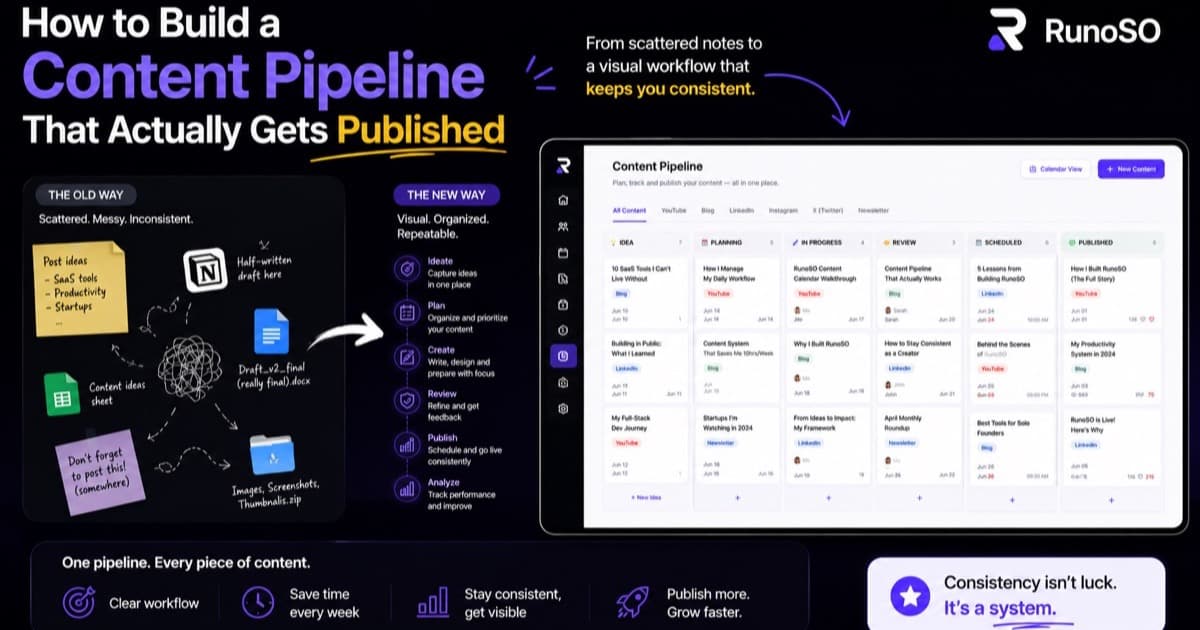
The problem isn't a lack of ideas. It's the absence of a pipeline — a visible, sequential workflow that transforms a raw idea into a finished piece through defined stages.
Think about it: every manufacturing process has stages. Raw materials → processing → quality check → packaging → shipping. But content creators treat their work like a magic trick: idea appears → published piece materializes (somehow).
The Five Stages of Content Production
After years of inconsistent publishing (and studying how professional content teams operate), I defined five stages that every piece of content moves through:
Stage 1: 💡 Idea
The raw spark. A title, a one-line description, and maybe a target audience.
Rules:
- Capture fast, don't filter. Bad ideas can be killed later.
- Every idea needs at least a title and a "why" — why would someone read/watch this?
- Ideas sit here until you actively pull them into production.
Stage 2: 📝 Script
The outline or draft. For blog posts, this is the H2/H3 skeleton with bullet points under each section. For videos, this is the shot list or talking points.
Rules:
- Don't write a full draft here. Write the skeleton — the bones of the piece.
- Time-box this: 30–45 minutes maximum. If you can't outline it in that time, the idea needs more clarity (push it back to Idea stage).
- This is where most ideas die — and that's okay. An idea that can't be outlined probably shouldn't be published.
Stage 3: 🎬 Production
The actual creation work. Writing the full draft, recording the video, designing the graphics.
Rules:
- Work on only 1–2 pieces in Production at a time. More than that and nothing ships.
- Set a deadline. "In production" without a deadline is "in limbo."
- This is the stage that takes the most time and energy, so protect it.
Stage 4: ✂️ Editing
Review, polish, and finalize. For blog posts: proofreading, formatting, adding images and links. For videos: cutting, color grading, adding captions and thumbnails.
Rules:
- Never edit the same day you produce. Fresh eyes catch more errors.
- Have a checklist: SEO meta tags, social sharing image, internal links, CTA at the end.
- Editing is where "good enough" becomes "publish-worthy."
Stage 5: ✅ Published
It's live. It's out in the world.
Rules:
- Log the publish date and URL.
- Don't just publish and forget — schedule social promotion for the next 48 hours.
- Link it back to related pieces (internal linking boosts SEO and reader engagement).
The Visual Pipeline: Why Kanban Beats Todo Lists
Here's why a visual, column-based pipeline (Kanban) works better than a simple checklist for content:
A Todo List Looks Like This:
☐ Write blog post about AES encryption
☐ Film YouTube intro video
☐ Design Instagram carousel for RunoSO launch
☐ Draft Twitter thread on SaaS subscriptions
☐ Edit podcast episode #4
Five items, no context. Which one is closest to being published? Which one hasn't even been outlined yet? You can't tell.
A Kanban Pipeline Looks Like This:
💡 Idea          📝 Script         🎬 Production     ✂️ Editing        ✅ Published
─────────────    ─────────────    ─────────────    ─────────────    ─────────────
Instagram        Twitter thread   AES blog post    Podcast #4       Solo operator
carousel         on SaaS subs                                       guide
                                  YouTube intro
Instantly, I can see:
- The AES blog post and YouTube intro are actively being worked on.
- The podcast is almost done (just needs editing).
- The Instagram carousel is still just an idea.
- I published the solo operator guide recently.
Visual pipelines give you spatial awareness of your content operation. You can see bottlenecks (too many items in "Editing"?), stagnation (something stuck in "Script" for 3 weeks?), and velocity (how many items moved to "Published" this month?).
Adding a Content Calendar
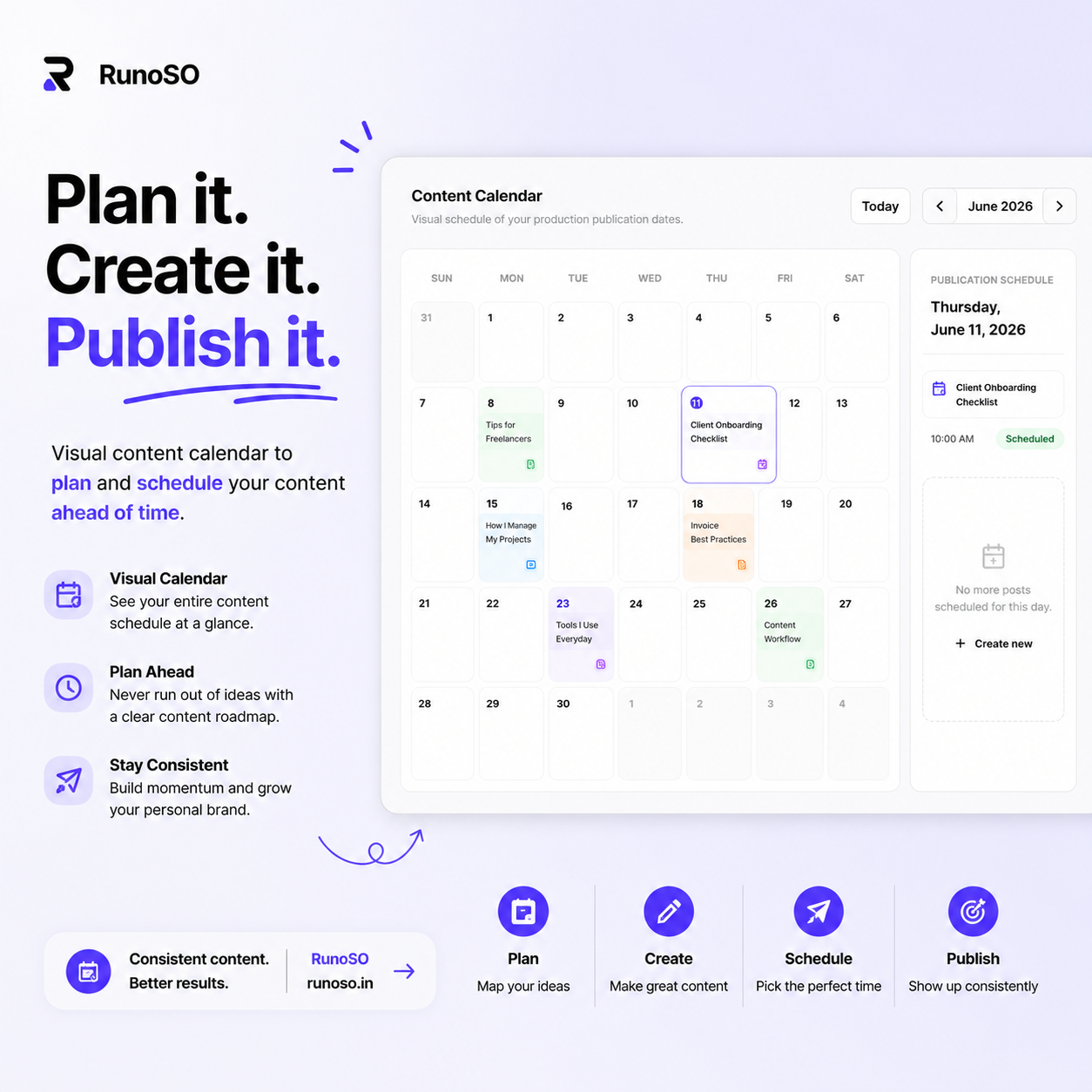
A pipeline tells you what stage each piece is in. A calendar tells you when it's supposed to be published.
The calendar view is simple: a monthly grid where each day shows any content scheduled for publication. It answers the question: "What's going out this week?"
I recommend two types of content scheduling:
Fixed Dates (External Deadlines)
- Client content with agreed delivery dates.
- Product launches with coordinated campaigns.
- Seasonal or event-based content (holiday posts, conference recaps).
Rhythm-Based (Internal Cadence)
- "I publish one blog post every Tuesday."
- "I post 3 tweets per day."
- "I release one YouTube video every two weeks."
The calendar keeps you honest. If it's Tuesday morning and nothing is in the "Editing" stage, you know you're about to miss your cadence.
The Ideas Capture System
The most overlooked part of a content pipeline is the intake system — how ideas enter the pipeline in the first place.
Here's my rule: ideas must be capturable in under 10 seconds. If it takes longer, you'll skip it, and the idea dies.
In RunoSO, the Content Ideas board is a simple form:
- Title: What's the piece called? (Required)
- Type: Blog, Video, Graphic, Tweet, or Other? (Required)
- Description: A 1–2 sentence summary. (Optional but recommended)
- Client: Is this for a client or personal? (Optional)
That's it. No tags, no categories, no priority levels. The goal at capture time is speed, not organization. Organization happens later, when you pull an idea into the Script stage.
Where Ideas Come From
Train yourself to recognize idea triggers:
- Questions from clients or followers: "How do you manage your domains?" → Blog post.
- Problems you solved today: "I spent an hour debugging a CORS issue" → Technical tutorial.
- Industry trends you noticed: "Everyone is talking about AI-generated content" → Opinion piece.
- Things you learned: "I discovered that CryptoJS uses PBKDF2 under the hood" → Deep-dive.
- Conversations that sparked debate: "My friend said freelancers don't need a CRM" → Counterargument post.
My Personal Content Workflow
Here's exactly how I use RunoSO's content pipeline for techwithgalvan.in:
Weekly Rhythm
| Day | Activity |
|---|---|
| Monday | Review the pipeline. Pull 1–2 ideas into "Script" stage. Outline them. |
| Tuesday–Thursday | Production: Write drafts, record videos. One piece at a time. |
| Friday | Editing: Proofread, format, add images, write meta descriptions. |
| Saturday | Publish the week's piece. Schedule social posts for the next 48 hours. |
| Sunday | Capture new ideas. Clean up the Ideas board. Rest. |
Monthly Review
At the end of each month, I check:
- How many pieces moved from Idea → Published? (Target: 4+)
- How many ideas are sitting in "Script" for 2+ weeks? (Either outline them or kill them.)
- What topics performed best? (Double down on those themes.)
- What's the backlog look like? (If I have 30+ ideas, it's time to prune.)
Common Mistakes (And How to Avoid Them)
Mistake 1: Too Many Things in "Production"
If you have 5 items in Production, you're not producing — you're paralyzed. Limit to 2 items maximum in Production at any time.
Mistake 2: Skipping the Script Stage
Going directly from "Idea" to "Production" (full draft/recording) without an outline leads to rambling, unfocused content. The Script stage is where you discover whether an idea has enough substance to be published.
Mistake 3: Never Killing Ideas
Not every idea deserves to be published. If an idea has been in the "Idea" stage for 60+ days, ask yourself: "If I didn't publish this, would anyone care?" If the answer is no, archive it.
Mistake 4: Publishing Without Promotion
A published piece without promotion is a tree falling in an empty forest. Every publish should trigger:
- 2–3 social media posts (day of, day after, one week later).
- Cross-linking from related existing content.
- A newsletter mention (if you have one).
Mistake 5: Not Batching by Stage
Context-switching between writing, editing, and designing in the same sitting kills productivity. Batch by stage: write three outlines in one sitting. Edit two drafts in another. Design all thumbnails in a third. Your brain stays in one mode.
The Consistency Compound Effect
Here's the math that changed my perspective on content:
- If you publish 1 blog post per week, you have 52 posts after one year.
- If each post gets just 100 organic visits per month (very achievable with basic SEO), that's 5,200 monthly visitors by month 12.
- If 2% convert to email subscribers, that's 104 new subscribers per month.
- If 5% of subscribers become paying customers, that's ~5 new customers per month — on autopilot.
The pipeline isn't about one viral hit. It's about consistent, compounding output. And you can't achieve consistency without a system.
RunoSO's Content Pipeline includes an Ideas capture board, a Kanban-style production board, and a visual Content Calendar — all linked to your clients and projects.
This is the system I use for techwithgalvan.in. What's your content workflow? Reach out on X (Twitter) — I'd love to hear how you stay consistent.
Keep Reading
- Get organized first: how to organize your freelance business.
- Stay consistent: 5 systems successful freelancers use.
- See the content pipeline in features — Kanban + calendar.