If you're a freelancer or agency owner in India, you've almost certainly experienced this moment:
You finish a project. The client says, "Send me the invoice." You open a Google Doc, copy-paste your last invoice, manually update the dates, amounts, and tax lines, triple-check the CGST/SGST split, export a shaky PDF, and pray you didn't mess up the math.
Then your CA calls and tells you the SAC code was wrong.
Indian tax compliance — particularly GST invoicing — is a minefield for solo operators. The rules are complex, the penalties for errors are real, and most invoicing tools either don't support Indian formats or charge a premium for them.
This guide breaks down exactly what you need to know and how to automate it.
The Indian Freelancer's Invoicing Nightmare
Here's what makes invoicing painful for Indian freelancers and agencies:
1. GSTIN & PAN Requirements
Every GST-registered business must display their GSTIN (15-digit Goods and Services Tax Identification Number) and PAN (Permanent Account Number) on every invoice. If you're registered, these are mandatory — not optional.
Most international invoicing tools (FreshBooks, Wave, etc.) don't even have fields for GSTIN. You end up adding them manually in the "notes" section, which looks unprofessional and breaks formatting.
2. The CGST/SGST/IGST Split
This is where most freelancers get confused:
| Scenario | Tax Applied | Rate Example |
|---|---|---|
| You and your client are in the same state | CGST + SGST (split equally) | 9% CGST + 9% SGST = 18% |
| You and your client are in different states | IGST (single line) | 18% IGST |
If you're in Gujarat and your client is in Gujarat → CGST + SGST.
If you're in Gujarat and your client is in Maharashtra → IGST.
Getting this wrong can flag your returns during reconciliation.
3. SAC/HSN Codes
Every service you provide needs a SAC (Services Accounting Code) or HSN (Harmonized System of Nomenclature) code. Common SAC codes for freelancers:
| Service | SAC Code |
|---|---|
| Software development / IT services | 998314 |
| Web design / development | 998314 |
| Graphic design | 998396 |
| Content writing / copywriting | 998395 |
| Digital marketing / SEO | 998361 |
| Consulting | 998311 |
| Photography / videography | 998382 |
Your CA will help you determine the exact code, but your invoicing system should make it easy to include.
4. Sequential Invoice Numbering
GST requires invoices to have unique, sequential numbers within each financial year. You can't just make up random invoice IDs. A typical format:
INV-2025-001
INV-2025-002
INV-2025-003
Or with a prefix:
GOS/25-26/001
GOS/25-26/002
Your system needs to auto-generate these and never allow duplicates.
5. Mandatory Fields Checklist
Every GST-compliant invoice must contain:
- [x] Supplier's GSTIN, name, and address
- [x] Invoice number (sequential)
- [x] Date of issue
- [x] Recipient's name and address
- [x] Recipient's GSTIN (if registered)
- [x] SAC/HSN code for each line item
- [x] Description, quantity, rate, and amount for each item
- [x] Taxable value (subtotal before tax)
- [x] Tax rate and tax amount (CGST+SGST or IGST)
- [x] Total amount (including tax)
- [x] Place of supply (state)
Missing any of these can cause issues during GST return filing.
How Most Freelancers Handle This (Badly)
The Google Docs Approach
You create a template in Google Docs. For each new invoice, you duplicate it, manually update every field, and export as PDF. Problems:
- No auto-numbering: You manually increment the invoice number and sometimes forget.
- No tax calculation: You calculate CGST/SGST manually in your head or on a calculator.
- No status tracking: You have no idea which invoices are paid, pending, or overdue.
- Formatting breaks: Every time you add a line item, the table alignment shifts.
The Zoho/FreshBooks Approach
These tools work, but:
- Zoho Invoice free tier limits you to 5 clients. Beyond that, it's ₹750–₹2,000/month.
- FreshBooks starts at $17/month (₹1,400+) and doesn't natively support Indian tax formats.
- Both are standalone tools: They don't connect to your project management, client CRM, or credentials vault. You're back to context switching.
The CA-Dependent Approach
Some freelancers just send their CA a WhatsApp message: "Bhaiya, invoice bana do for ₹50,000 to Acme Corp." Your CA generates the invoice, but:
- It takes 1–2 business days.
- You can't track the status yourself.
- You're paying your CA to do work that should take 90 seconds.
A Better Way: Automated Invoice Generation
Here's how I built invoicing in RunoSO to solve every one of these problems:
1. Business Settings (One-Time Setup)
When you first set up RunoSO, you fill in your business details in Settings:
- Business name
- Address (with state — crucial for CGST/SGST vs IGST determination)
- GSTIN
- PAN
- Default tax rate (typically 18% for IT services)
- Invoice number prefix and starting number
This is done once. Every invoice auto-populates these fields.
2. Client Details
Each client has their company name, address, and GSTIN stored in their profile. When you create an invoice for a client, their details are auto-filled.
3. Invoice Creation Workflow
1. Select Client       → Auto-fills recipient details
2. Select Project      → (Optional) Links invoice to a specific project
3. Add Line Items      → Description, quantity, rate → amount auto-calculated
4. Tax Applied         → Based on client/supplier state match
5. Review Totals       → Subtotal, tax amount, grand total — all auto-calculated
6. Generate Invoice    → Sequential number auto-assigned
7. Export as PDF       → Professional, branded PDF generated instantly
Time from "I need an invoice" to "PDF in my email": 90 seconds.
4. PDF Generation
RunoSO generates PDFs using jsPDF + html2canvas. The invoice is first rendered as a styled HTML template, then converted to a pixel-perfect PDF. The output includes:
- Your business header (name, address, GSTIN, PAN).
- Client details.
- A clean line items table.
- Tax breakdown (CGST+SGST or IGST).
- Total in words (e.g., "Rupees Fifty Thousand Only").
- Invoice number, date, and due date.
5. Status Tracking
Every invoice has a status lifecycle:
Draft → Sent → Paid → Overdue- Draft: You've created it but haven't sent it yet.
- Sent: You've emailed the PDF to the client.
- Paid: The client has paid. You can log the payment date.
- Overdue: The due date has passed without payment. Time for a follow-up.
The Dashboard shows pending and overdue invoices prominently, so nothing slips through the cracks.
Best Practices for Indian Freelancers
Beyond the tool, here are habits that will save you during tax season:
1. Invoice Immediately Upon Project Completion
Don't wait. The moment a project milestone is delivered, generate and send the invoice. Delayed invoicing leads to delayed payments and messy books.
2. Maintain a Consistent Numbering System
Pick a format and stick to it for the entire financial year:
FORMAT: PREFIX/YEAR-YEAR/SEQUENTIAL
EXAMPLE: GOS/25-26/001
Never skip numbers. If you void an invoice, keep the number and mark it as "Cancelled."
3. Keep a Digital Copy of Every Invoice
Your CA and the tax department can request invoices from years past. RunoSO stores every invoice digitally with its full history. No more searching through email attachments.
4. Reconcile Monthly
At the end of each month, cross-check:
- Total invoices generated vs. total income received.
- Outstanding payments (Sent but not Paid).
- Tax collected vs. tax reported (for GSTR-1 filing).
30 minutes once a month prevents 30 hours of panic during return season.
5. Separate Personal and Client Invoices
If you do work for your own products AND for clients, keep the invoicing streams separate. Tag each invoice with the client (or "Personal") so your CA can categorize them correctly.
The Bigger Picture: Invoicing as Part of Your Business System
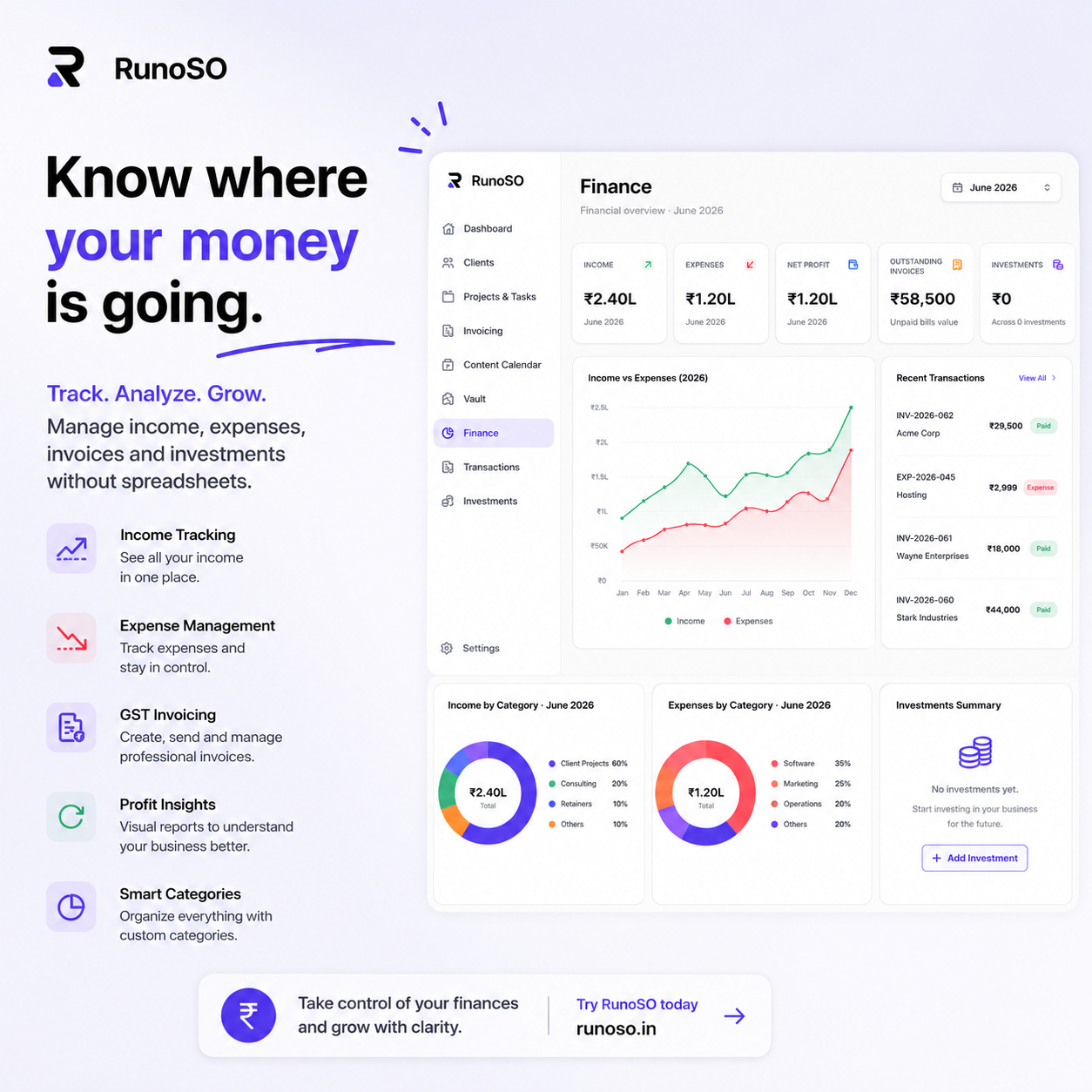
The real power of invoicing isn't in generating PDFs. It's in the data flow:
Client → Project → Invoice → Transaction → Financial DashboardWhen your invoice system connects to your transaction tracker, you get real-time financial visibility:
- Revenue this month: Sum of all "Paid" invoices.
- Outstanding receivables: Sum of all "Sent" and "Overdue" invoices.
- Client profitability: Total invoiced vs. total expenses per client.
- Tax liability: Total CGST/SGST/IGST collected, ready for GSTR-1 filing.
This is the difference between "I think I made ₹3 lakhs this quarter" and "I know I made ₹3,47,500 this quarter, with ₹62,550 in GST collected and ₹45,000 in outstanding receivables."
Confidence in your numbers changes how you make decisions.
RunoSO's invoicing system supports GSTIN, PAN, CGST/SGST/IGST tax splits, sequential auto-numbering, PDF export, and status tracking — all connected to your client and project data.
Questions about GST invoicing for freelancers? DM me on X (Twitter) — I've been through the trenches and I'm happy to help.
Keep Reading
- Next: track income & expenses without spreadsheets.
- The bigger system: how to organize your freelance business.
- Generate invoices in RunoSO: features → invoicing.