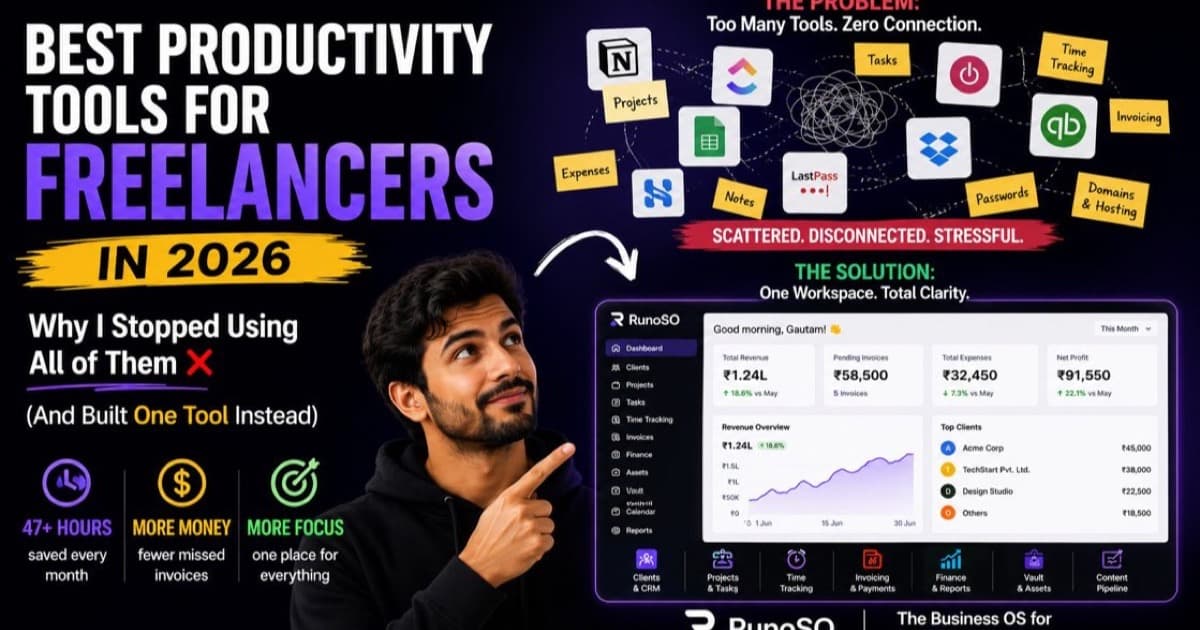
You know this mouse trail.
Click Clients in sidebar. Scroll. Click Acme Corp. Click Projects tab. Click New Task. Type. Click Save. Click back. Click Invoices. Click New. Select client dropdown, scroll to find Acme, select...
7 clicks. 30 seconds. 4 times an hour. 2 hours a day lost to navigation.
Freelancers don't lose time on work. They lose it on moving between work.
A command palette — ⌘K — kills the mouse trail. One keystroke, type acme inv, hit enter. You are where you need to be. No click, no scroll, no search.
Why Click Navigation Kills Freelance Speed
Your current freelance OS is six tools with six navigation models:
- Notion: Sidebar → page tree → slash commands → backlinks. Great for docs, slow for
create invoice for Acme. - Trello: Board → list → card → power-up → back to board. Fast for moving cards, hopeless for
find vault entry linked to client. - Sheets: Tab → filter →
Ctrl+F→ wrong row → filter again. Every invoice is a hunt. - 1Password: Vault → search → copy → paste → search again for hosting IP. Two searches for one deploy.
Each tool optimizes its own navigation. None optimizes cross-tool jumps — invoice → client → vault → asset — which is 80% of freelance admin.
The math: 20 navigations/day × 30 seconds mouse + search = 10 minutes. × 5 days = 50 minutes. Add context-switch tax 23 minutes to regain focus after each hunt and you burn 5+ hours/week not working, just finding.
Keyboard flow isn't a power-user luxury. It's focus protection.
The Command Palette: One Input, Every Action
In RunoSO, CommandMenu ⌘K src/components/layout/CommandMenu.tsx:1 is not a search box. It's a router over your entire tenant_${id} graph src/lib/db/tenant.ts:47:
- Clients: Type
acme→ seeAcme Corp (active)+Acme → Projects 3+Acme → Invoices 2+Acme → Vault 4. One fuzzy match, four destinations. - Projects: Type
homepage→Homepage Redesign → Acme Corplinked viaprojects.clientIdsrc/lib/db/schema.ts:25 - Tasks: Type
today→Tasks → Today(isToday:true) andTasks → Backlog— jump to filtered viewGET /api/tasks?view=today - Finance: Type
inv→Invoices → New,Transactions → Overview,Investments. TypeGOS/25→ jumps to that exactinvoiceNumbersrc/lib/db/schema.ts:67 - Vault: Type
api key→ filteredvaultItems category:api-keysrc/lib/db/schema.ts:123 - Assets: Type
domain→Assets → Domainssrc/app/(dashboard)/assets/page.tsx:91withexpiryDatebadges
Press ⌘K (or Ctrl+K on Windows), start typing, ↑↓ + Enter. No mouse leaves keyboard. No sidebar scroll.
Shortcuts That Compound: N, /, and Focus
⌘K gets you anywhere. These get you creating without clicking:
N — New Anything src/app/(dashboard)/layout.tsx:91 global keybind:
- Press
N→ modalNew: Client | Project | Task | Invoice | Vault Item | Content | Asset. Pick → form pre-linked to current context. ViewingAcme Corpand pressN → Task?clientIdandprojectIdpre-filled. Zero dropdown hunt.
/ — Search / Filter:
- In
Clients,/focuses filter → typelead→ filteredstatus:leadsrc/lib/db/schema.ts:7. InVault,/+serverfilterscategory:server.
Dashboard Filter + Stats src/components/layout/NotificationsBell.tsx + GET /api/sidebar/stats src/app/api/sidebar/stats/route.ts:55:
- Badges
activeProjects, pendingInvoices, remainingTasks, contentDueSoonshow without navigation. SeeOverdue:2before you search for it.
These three — ⌘K, N, / — replace 90% of clicks. Your hands stay on keyboard, your brain stays in work.
How the Palette Saves 5 Hours: A Timed Workflow
Workflow: Client calls asking for status + resend invoice + server IP
Without palette (4 tools):
- Open Notion → search client (45s)
- Open Trello → find project card (60s)
- Open Sheets → find invoice number (90s)
- Open 1Password → search
acme server(45s) → 4 minutes, 4 tabs, 1 wrong result.
With ⌘K in RunoSO (1 graph):
⌘K→acme→Enteron client (3s) — seeClientDetailPageClientsrc/app/(dashboard)/clients/[id]/page.tsxwith projectstotalTasks/doneTasks+ invoicespaid|sent|overdue+ vault masked••••src/app/api/vault/route.ts:25+ assets expiring⌘K→acme inv→EnteronINV GOS/25-26/012→⌘Cportal linkportalTokenssrc/lib/db/schema-public.ts:169⌘K→acme server→Entervault item →1-click copy— 18 seconds total.
Save per interrupt: 3.5 minutes. 8 interrupts/day = 28 minutes. × 5 = 2.3 hours pure nav + 2.7 hours focus regained = 5 hours.
Mistakes That Keep You Clicking
Mistake 1: Treating shortcuts as optional.
⌘K is not for developers. It's for anyone who types client names daily. If you open sidebar to click Clients, you already lost 8 seconds. Pin a sticky: ⌘K = go, N = new, / = filter until muscle.
Mistake 2: Naming tasks without searchable titles.
Task titled Fix it won't match ⌘K → acme homepage bug. Title tasks Acme: Fix homepage hero CSS — palette is fuzzy but keywords matter. Link via projectTaskId src/lib/db/schema.ts:251 so graph search finds it even if title is vague.
Mistake 3: Ignoring linked creation.
Pressing N → Invoice from dashboard forces you to pick clientId manually. Pressing N → Invoice from Acme Corp page auto-links clientId src/app/api/invoices/route.ts:84. Create from context, not from void, or you recreate dropdown sprawl.
Sheets / Notion / Trello vs RunoSO Command System
| What you do | Sheets + Notion + Trello (mouse) | RunoSO CommandMenu ⌘K src/components/layout/CommandMenu.tsx:1 |
|---|---|---|
| Jump to client | 3 clicks + scroll + search 4 tools | ⌘K → acme → Enter (2 sec) |
| Create invoice for client | Open invoice tool → dropdown hunt client | N → Invoice from client page → clientId pre-filled |
| Find vault entry | Search flat vault, guess which server | ⌘K → acme server filtered by clientId+category |
| See what's due today | Open 3 boards + sheet filter | ⌘K → today or Dashboard TodayFocusCard badges |
Cross-link invoice→vault→asset | 3 tab hunts, no FK | One client graph tenant_${id} 26 tables linked |
| Learn time | Already know sidebar | ⌘K 5-min habit, saves 300 min/week forever |
Speed is not about typing fast. It's about never leaving flow to hunt.
Install the Habit in 15 Minutes
- Rebind your brain: For next hour, forbid mouse for navigation. Need client?
⌘K. Need new task?N. Need filter?/. Feel the friction once, then speed forever. - Name 3 tasks verbosely today:
Client: Project — Verb. Test⌘Kfuzzy match — see howwayne portal bugstill findsWayne Enterprises → Portal bugvia project link. - Create from context: Open any client → press
N → Project→ verifyclientIdauto-filledsrc/app/api/projects/route.ts:145. Do same for invoicePOST /api/invoices/route.ts:84— watchtotalserver-compute. - Glance, don't click: Check
sidebar statssrc/app/api/sidebar/stats/route.ts:55badgespendingInvoices, contentDueSoonbefore opening any module — you already know what's urgent.
One week of ⌘K and your mouse will collect dust. And your 5 hrs will return to billable work.
RunoSO's command palette turns your freelance business into a keyboard — ⌘K to jump, N to create, / to filter, all over one linked tenant_${id} graph.
→ Try the ⌘K System Free on RunoSO
By Gautam Parmar src/app/(marketing)/about/page.tsx:44 — solo founder, Next.js 16 Tailwind v4 Neon Drizzle AES-256-GCM, building in public on X.
Keep Reading
- Daily execution: daily system today vs backlog.
- Focus protection: deep work for freelancers.
- Weekly calibration: freelance weekly review operating rhythm.
FAQ
Is ⌘K just search? No — it's a router. It jumps to client → project → task → invoice → vault → asset in one keystroke over FK-linked tables, not a full-text search.
Do shortcuts work on Windows? Yes — Ctrl+K mirrors ⌘K, N and / are global in layout.tsx.
Will I remember all shortcuts? You need three: ⌘K go, N new, / filter. That's the whole system.